





.png?width=1536&height=1024&name=succurri_image_home_4(1).png)
What Does Cyber Insurance Not Cover?
This article discusses what cyber insurance does not cover and what steps you should take to obtain cyber insurance. Read on for more information!
2 min read
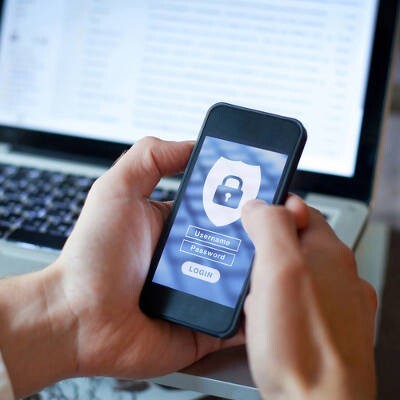
With more and more businesses relying on mobile devices for their business they have to be sure that the use of these devices doesn’t present security issues for the company. With all that is happening in business computing today, finding out how you can protect yourself in lieu of the prevalence smartphones play in the business world is important. Here are a few tips on how to lock it up or lose it, altogether.
Awareness
Since smartphones are able to connect to the Internet via Wi-Fi, and they can connect to other devices over Bluetooth, the utility these devices bring us is actually immense, even if it’s chock full of potential threats. Today’s hackers have begun to target smartphones and other mobile devices through the use of a litany of breach techniques.
To ease the risks that come from the growing mobile malware trend, you’ll have to be cognizant of where your Wi-Fi and Bluetooth connections come from. By only connecting to networks that are reliable and secure, you can pretty much use your smartphone as you please, where you please. Your carrier’s cellular signal is encrypted and therefore much more secure than a public connection, including in public charging stations.
Another thing that every mobile user has to be cognizant of are the permissions they provide certain applications with. Many applications can demand that you share information with their developers that is completely unnecessary. Being aware of what an application wants can help you know when it is prudent to choose when to use an app, and when to rely on your Internet browser. Considering how important your personal data is, understanding when and why it is being used, and keeping control over it will invariably keep you more secure.
Security
Speaking of security, there are some security options built-in to your smartphones. No modern day device has as much private information on it as your smartphone. When someone picks up your phone, you obviously don’t want them to have access to everything on it.
Users can protect themselves by choosing any number of options that ensure that only authorized parties can get into their smartphone. Most phones come with either options to secure the device with a custom PIN, passcode, or pattern. The new flagships, however, ratchet it up a notch. They provide biometric options through fingerprint readers or facial recognition to secure the contents of a device. By utilizing these security features you can ensure that no one but you gets into your phone without your permission.
Since data security should always be a major consideration, especially when you hold data that you personally don’t own, understanding how to insulate that data from others is key. If your business need to improve your mobile device security policies, contact the IT professionals at Succurri today at (206) 590-3312.

This article discusses what cyber insurance does not cover and what steps you should take to obtain cyber insurance. Read on for more information!
What is a disaster recovery plan? This article discusses what it is & the difference with a business continuity plan. Read more to learn how does it...
The Internet of Things is everywhere—homes, offices, and cars—offering a more unified and automated approach to daily tasks. Learn more